友達と割り勘を簡単に
旅行、居酒屋、日常

共同費用を追跡して自動で精算する無料アプリ

★★★★★ 5.0 App Storeで
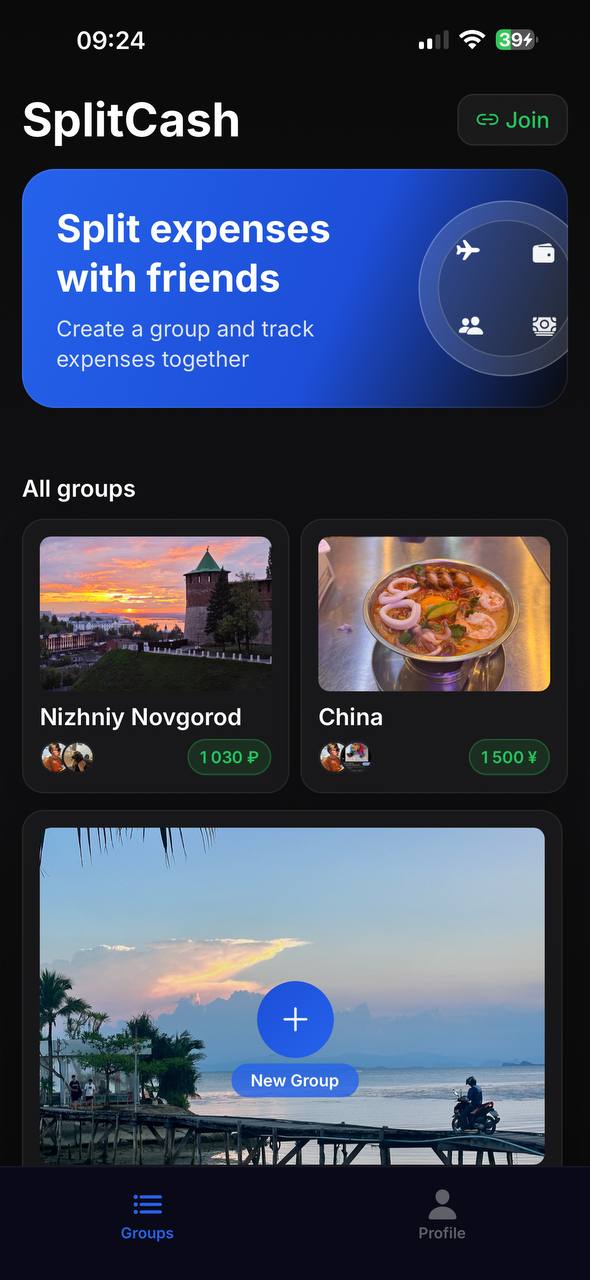
Expense groups in SplitCash
グループ
あらゆるシーンに
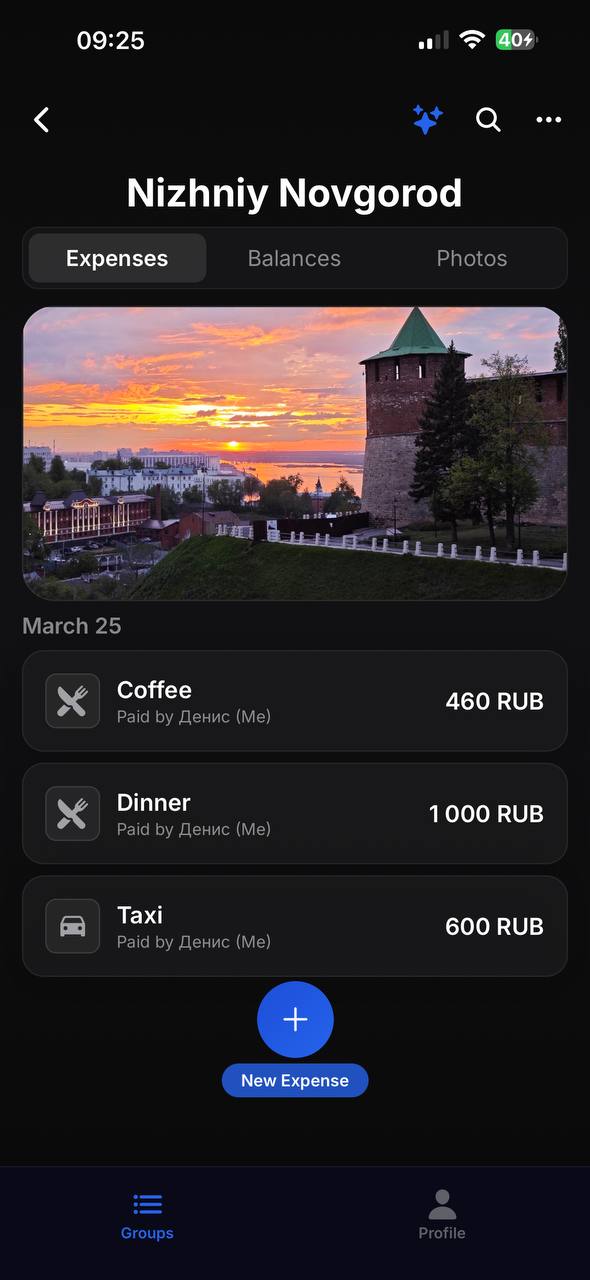
Expense list in SplitCash
費用
すべての費用を一箇所に
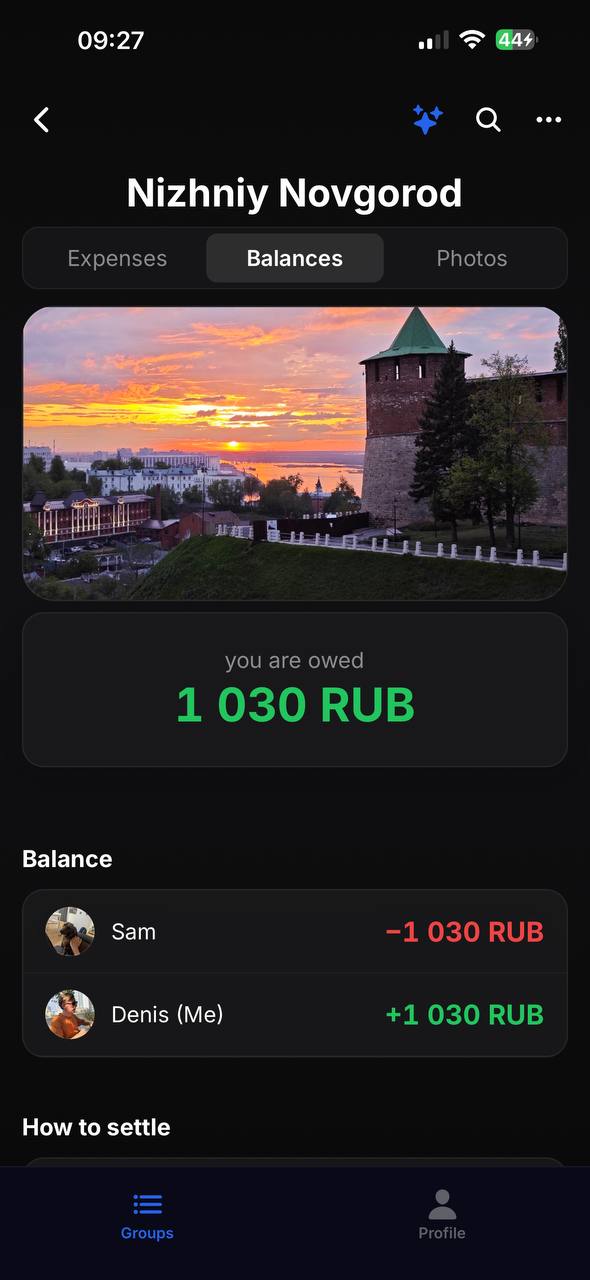
Balances and debts in SplitCash
残高
誰が誰に借りてる
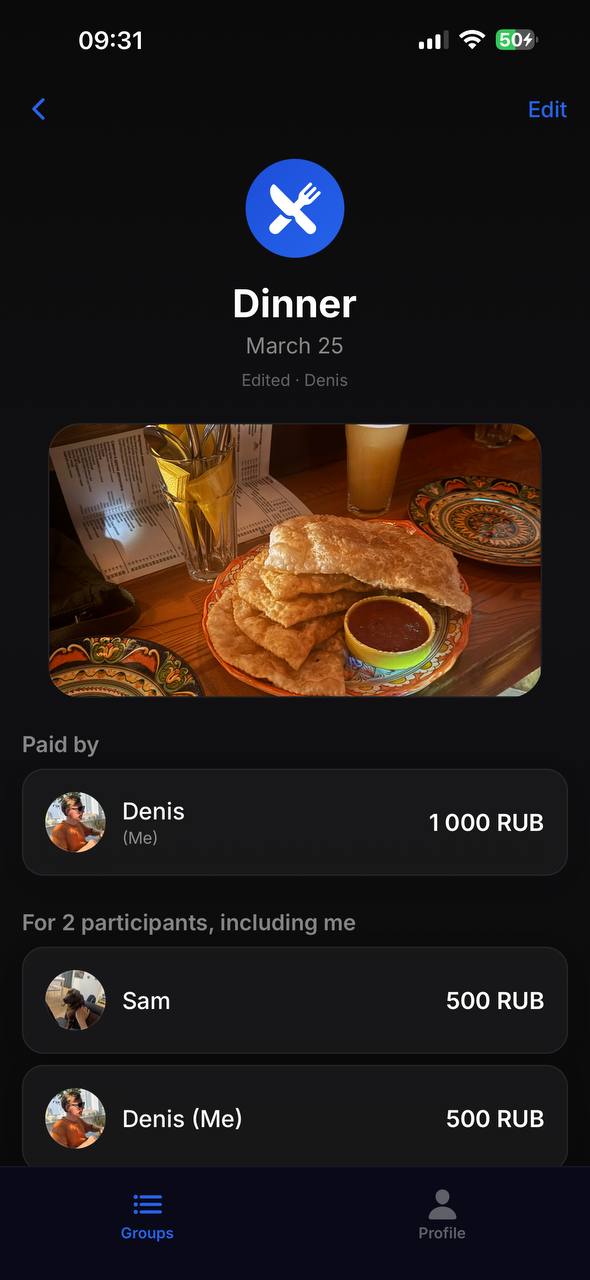
Expense details in SplitCash
詳細
レシート写真と分割

使い方

1

グループを作る

リンクかQRコードで友達を招待

2

費用を追加

誰が払った、いくら、均等割りか自分で設定

全部精算済み

アプリが誰が誰にいくら払うか表示

グループ

旅行・家・飲み会用のグループを作成。QRコードかリンクで招待。

レシート写真

レシートを撮影して費用に添付。レシートをなくす心配なし。

柔軟な分割

均等割り・比率・金額指定で分割。自分で決められる。

自動精算

スマートアルゴリズムで送金回数を最小化。

150以上の通貨

海外旅行に最適。グループごとに通貨を設定できる。

通知

誰かが費用を追加したり支払いをしたらすぐに通知。

5.0
App Store
150+
通貨
無料
広告なし、制限なし

よくある質問

How is SplitCash different from Splitwise?

SplitCash is completely free with no ads or subscriptions. It supports 150+ currencies, receipt photos, flexible splitting (equal, by shares, or exact amounts), and an automatic debt settlement algorithm that minimizes the number of transfers.

How do I split expenses on a trip?

Create a group for your trip and invite friends via QR code or link. Add expenses as you go — who paid, how much, who's involved. At the end, the app shows the final balance and the minimum transfers needed to settle up.

Is the app free?

Yes, SplitCash is 100% free. No ads, no premium features, no subscriptions. All features are available from day one with no limits.

How do I know who owes whom?

Open the Balances tab in your group. The app automatically calculates who owes whom and how much, using a smart algorithm that minimizes the number of transfers between members.

What currencies are supported?

SplitCash supports 150+ world currencies — from US dollars and euros to Thai baht and Vietnamese dong. Each group can use its own currency, perfect for international trips.

Do I need to create an account?

Just sign in with your Apple or Google account — no separate passwords or verification needed. It takes 3 seconds.

SplitCashを試す