친구들과 더치페이를 쉽게
여행, 밥약속, 일상

공동 지출을 추적하고 자동으로 정산하는 무료 앱

★★★★★ 5.0 App Store에서
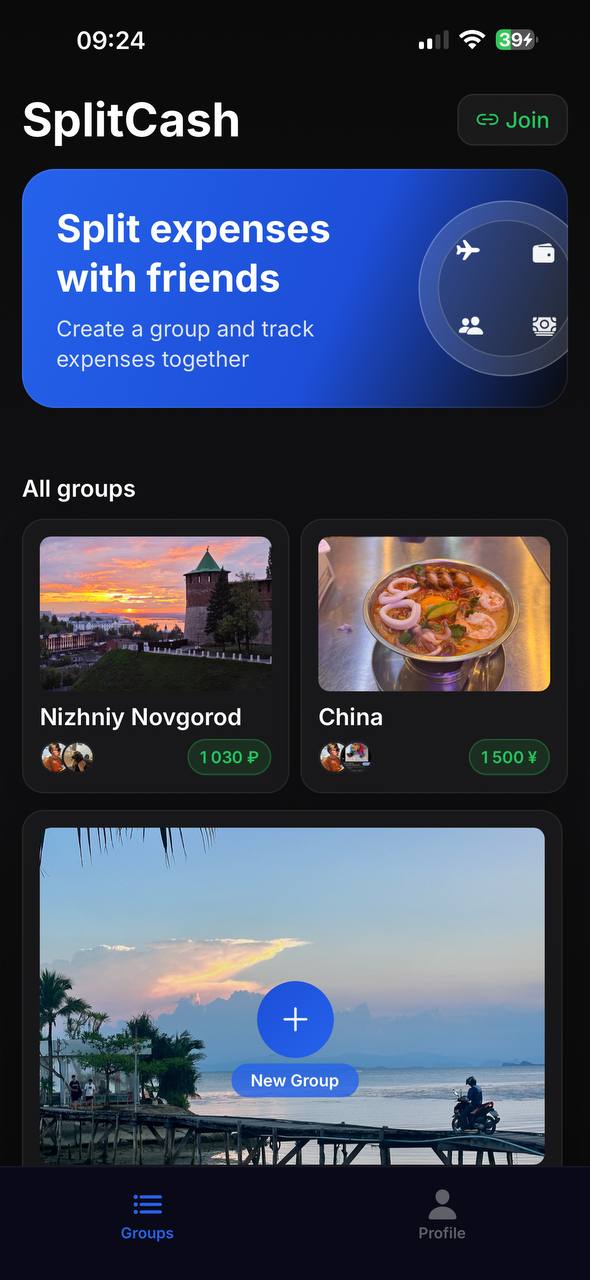
Expense groups in SplitCash
그룹
모든 상황에
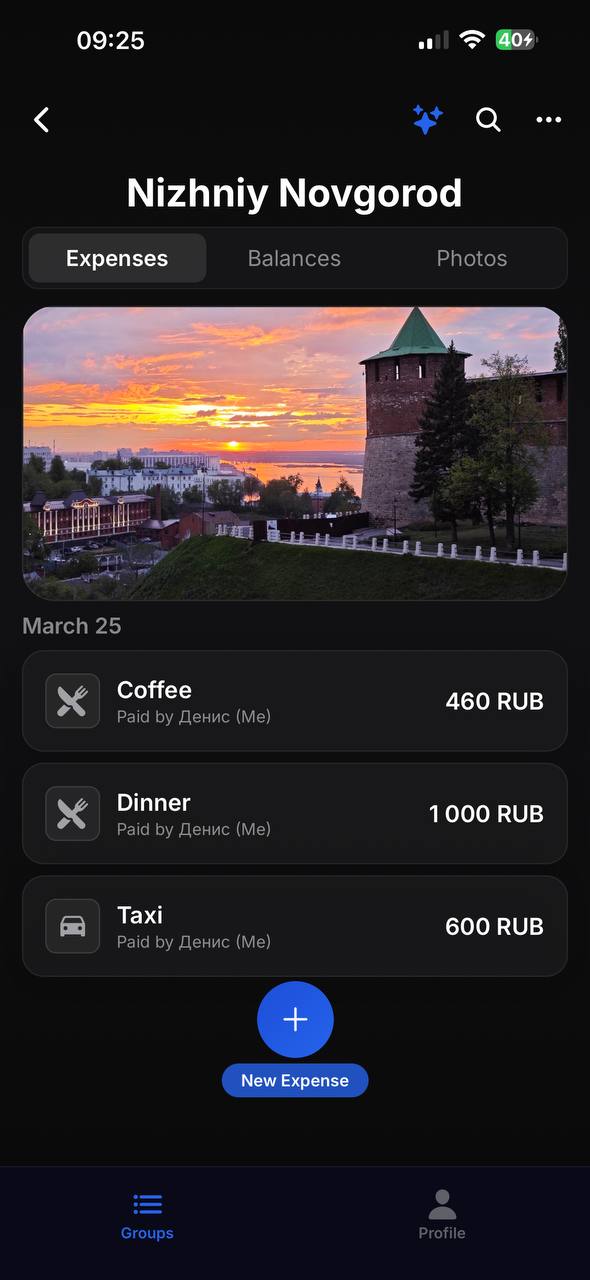
Expense list in SplitCash
지출
모든 지출 한 곳에
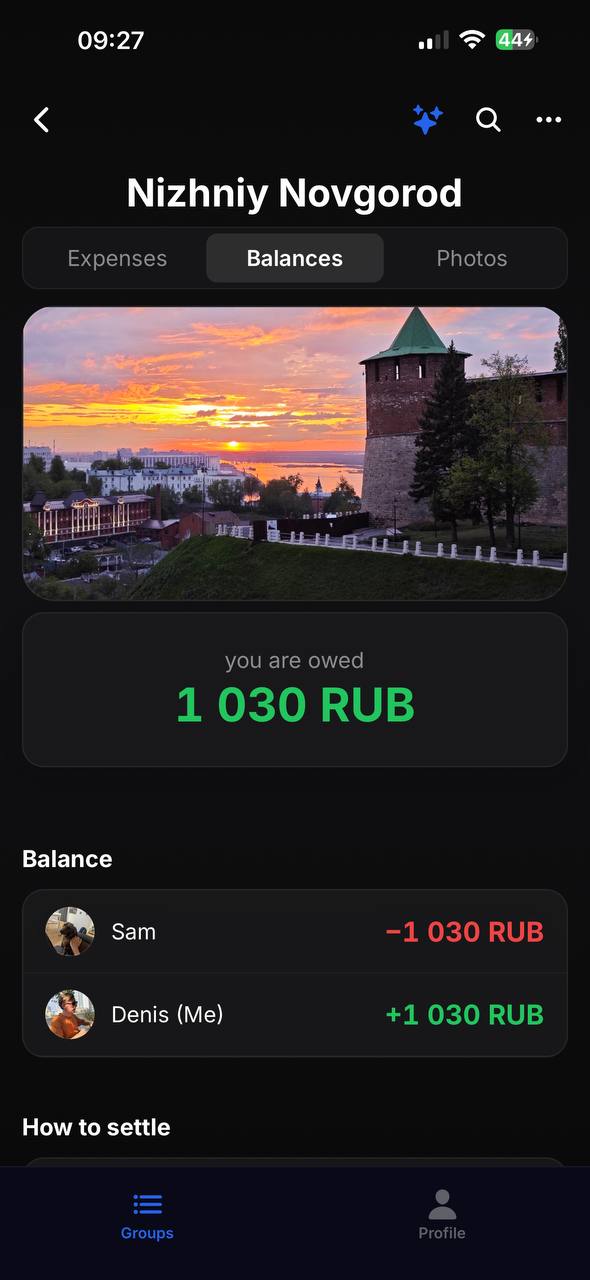
Balances and debts in SplitCash
잔액
누가 얼마 빌렸나
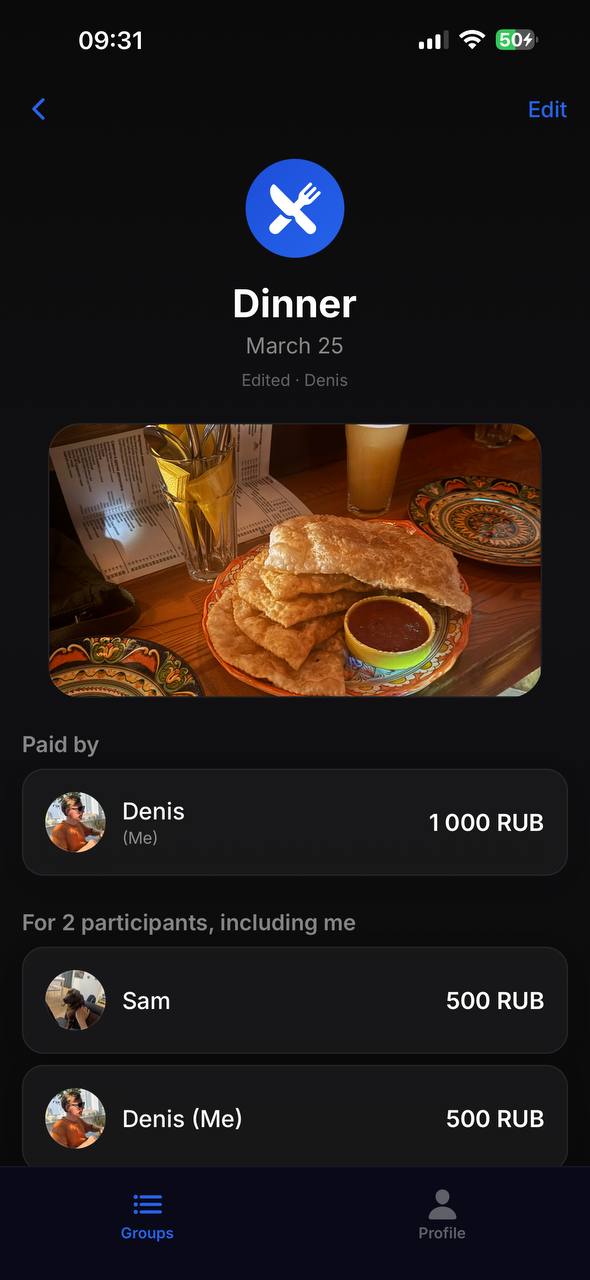
Expense details in SplitCash
상세
영수증 사진과 분할

사용 방법

1

그룹 만들기

링크나 QR 코드로 친구 초대

2

지출 추가

누가 냈는지, 얼마인지, 1/N 또는 직접 설정

모두 정산 완료

앱이 누가 누구에게 얼마를 줘야 하는지 알려줌

그룹

여행, 집, 밥약속 그룹 만들기. QR 코드나 링크로 초대.

영수증 사진

영수증 찍어서 지출에 첨부. 이제 영수증 잃어버릴 일 없음.

유연한 분할

1/N, 비율, 금액으로 나누기. 내가 정한다.

자동 정산

스마트 알고리즘으로 송금 횟수 최소화.

150개 이상 통화

해외여행에 딱. 그룹마다 통화 설정 가능.

알림

누가 지출 추가하거나 정산하면 바로 알림.

5.0
App Store
150+
통화
무료
광고 없음, 제한 없음

자주 묻는 질문

How is SplitCash different from Splitwise?

SplitCash is completely free with no ads or subscriptions. It supports 150+ currencies, receipt photos, flexible splitting (equal, by shares, or exact amounts), and an automatic debt settlement algorithm that minimizes the number of transfers.

How do I split expenses on a trip?

Create a group for your trip and invite friends via QR code or link. Add expenses as you go — who paid, how much, who's involved. At the end, the app shows the final balance and the minimum transfers needed to settle up.

Is the app free?

Yes, SplitCash is 100% free. No ads, no premium features, no subscriptions. All features are available from day one with no limits.

How do I know who owes whom?

Open the Balances tab in your group. The app automatically calculates who owes whom and how much, using a smart algorithm that minimizes the number of transfers between members.

What currencies are supported?

SplitCash supports 150+ world currencies — from US dollars and euros to Thai baht and Vietnamese dong. Each group can use its own currency, perfect for international trips.

Do I need to create an account?

Just sign in with your Apple or Google account — no separate passwords or verification needed. It takes 3 seconds.

SplitCash 시작하기